ChatPlot vs draw.io: free hand-drawing vs describing it in words
draw.io is free, open source and built for drawing diagrams yourself. ChatPlot draws them from a description and changes them when you ask.
draw.io is a free, open-source diagram editor: you draw the diagram yourself, there is no sign-up, and the code is under the Apache 2.0 license.
ChatPlot is a diagram tool with a chat next to it. You describe what the diagram should show, it draws one, and each change is another sentence.
Said plainly: if you want to draw by hand for free, draw.io is the better fit. If you would rather describe a diagram and iterate in words, that is what ChatPlot does.
At a glance
The ChatPlot column comes from ChatPlot's own plan rules. The draw.io column comes from drawio.com and its integrations documentation as read on September 11, 2026; where those pages did not state something, the table says so.
| ChatPlot | draw.io | |
|---|---|---|
| How you make a diagram | Describe it in plain language. Layout is automatic; you pick the direction and theme and ask for changes in words. No manual drag-and-drop positioning. | You draw it, in the browser or in the desktop app, "a stand-alone, offline application available for Windows, macOS and Linux". Files live in your own storage: Google Drive, OneDrive, SharePoint, GitHub, Notion. |
| Real-time collaboration | Not available: no co-editing, no shared workspaces. A share link carries the diagram inside the link and opens without an account. | Yes: "Real-time Collaboration Work together with shared cursors." |
| AI generation | The main way to create and change diagrams (templates and the advanced code editor are the alternatives). 5 actions per guest session, 10 per calendar month on a free account, 500 per month on Pro. | The homepage does not mention AI. The integrations documentation lists "AI diagram generation" among the things an administrator can customize; where it is offered, and at what cost, was not shown. |
| Export formats | PNG and SVG. Diagram code is an advanced opt-in. No PDF. | "Export to SVG, PNG, PDF, or keep them editable." |
| Free tier | Guest: 5 AI actions per session, up to 3 diagrams kept in the browser. Free account: 10 per calendar month, unlimited diagrams synced. Both export PNG and SVG with a small chatplot.io mark. | The whole product: "Free forever", "No sign-up required", "Open source", under the "Open Source Apache 2.0 License". |
| Paid plans | Pro, $15 per month or $144 per year: 500 AI actions per month, no mark, PNG up to 3x resolution. No Team or Enterprise plan. | No plan tiers are shown on the site. The Confluence and Jira apps are sold through the Atlassian Marketplace, and their prices were not shown. |
What the ChatPlot side looks like
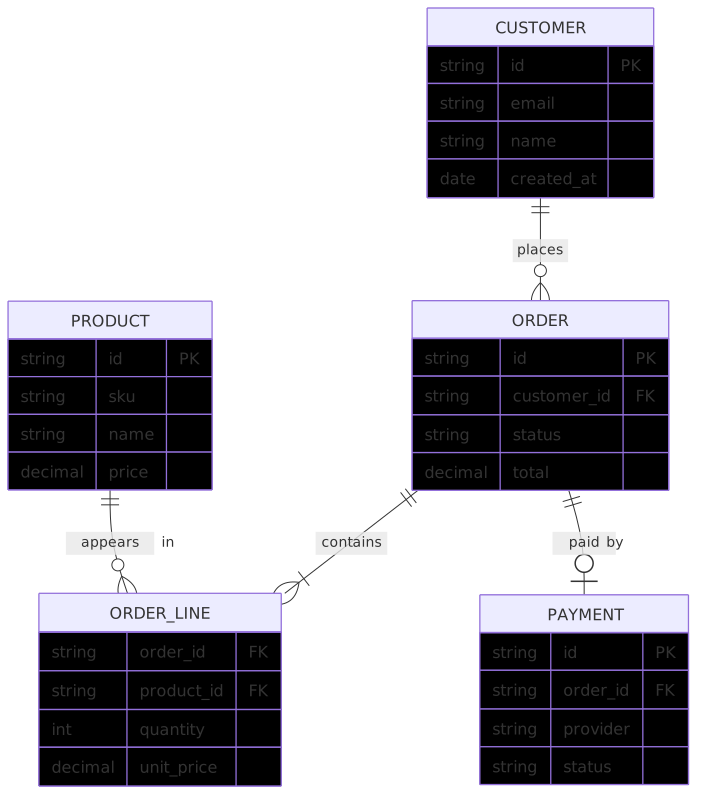
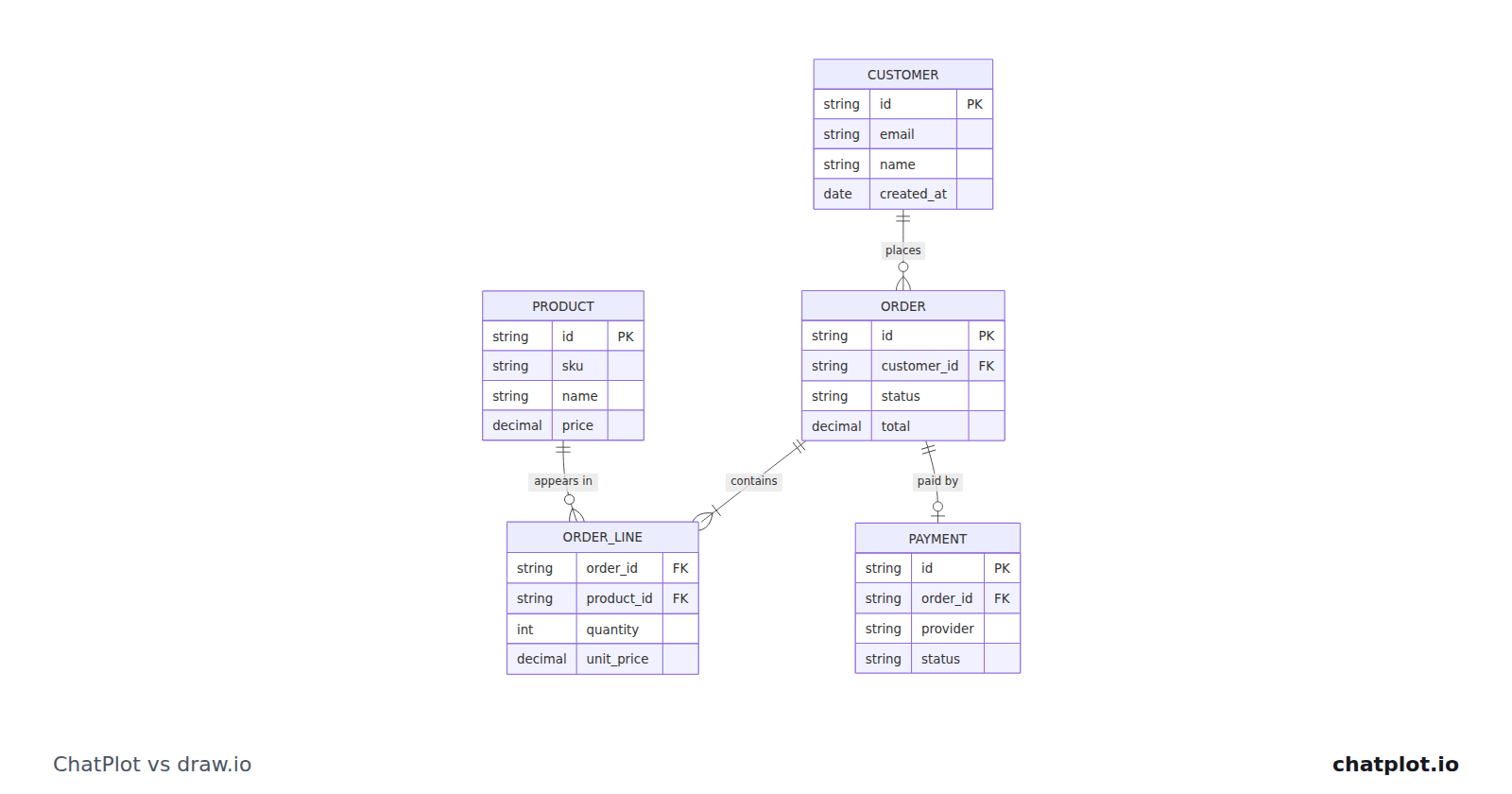
The tables, keys and links came out of one description of an online shop. Adding a shipments table is another sentence, and the layout is redone around it.
Where draw.io is the better fit
- You want to draw, and you want it free. No tier to hit, no sign-up, Apache 2.0.
- Several people need to edit one diagram at once: draw.io lists real-time collaboration with shared cursors, and ChatPlot has none.
- You need PDF export, or files that stay editable in your own Google Drive, OneDrive, SharePoint, GitHub or Notion storage.
- You work offline, or your security review prefers a stand-alone desktop app and open-source code. ChatPlot is a web app that calls a model on every create and edit.
Where ChatPlot is the better fit
- You would rather type the structure than place it. A five-table data model is a paragraph here, not a layout job.
- You want to revise by asking ("split that table", "add a status field") with version history to compare and restore.
- You want a first draft before you know the shape. Descriptions are cheap to rewrite; a drawn canvas is not.
- You want to hand it over with no install and no account, through a link that carries the diagram.
Try the same task in both
Task: the e-commerce data model above. In ChatPlot, type this:
Draw an entity relationship diagram for an e-commerce database. A customer has an id, email, name and created_at, and places many orders. An order has a customer id, status, total and date, and contains many order lines, each with a product id, quantity and unit price. A product has a sku, name and price. An order is paid by one payment, with a provider and an amount.Then make one edit by asking:
Add a shipment table with a carrier, tracking number and shipped date, linked one to one with an order, and mark the product sku as a unique key.That is two AI actions. Failed requests are not charged, and templates, undo, version history, direction and theme changes, exports and share links never use one. In draw.io, drop five tables on the canvas, connect them, then add the sixth by hand, and see which you would rather repeat next month.
Bottom line
draw.io is free, open source, collaborative and exports PDF, and none of that is a weakness ChatPlot papers over. If drawing is the part you are happy doing, draw.io is hard to argue with, and it stays free. ChatPlot earns its place only when drawing is the part you want to skip. Build the same data model in both, then make the same edit twice, and pick the workflow you mind less.
Sources
Competitor details were read from these pages on September 11, 2026 and may have changed since.