ChatPlot vs Excalidraw: sketching by hand vs describing the diagram
Excalidraw is a free, open-source whiteboard for hand-drawn sketches you make yourself. ChatPlot turns a written description into a diagram and edits it when you ask.
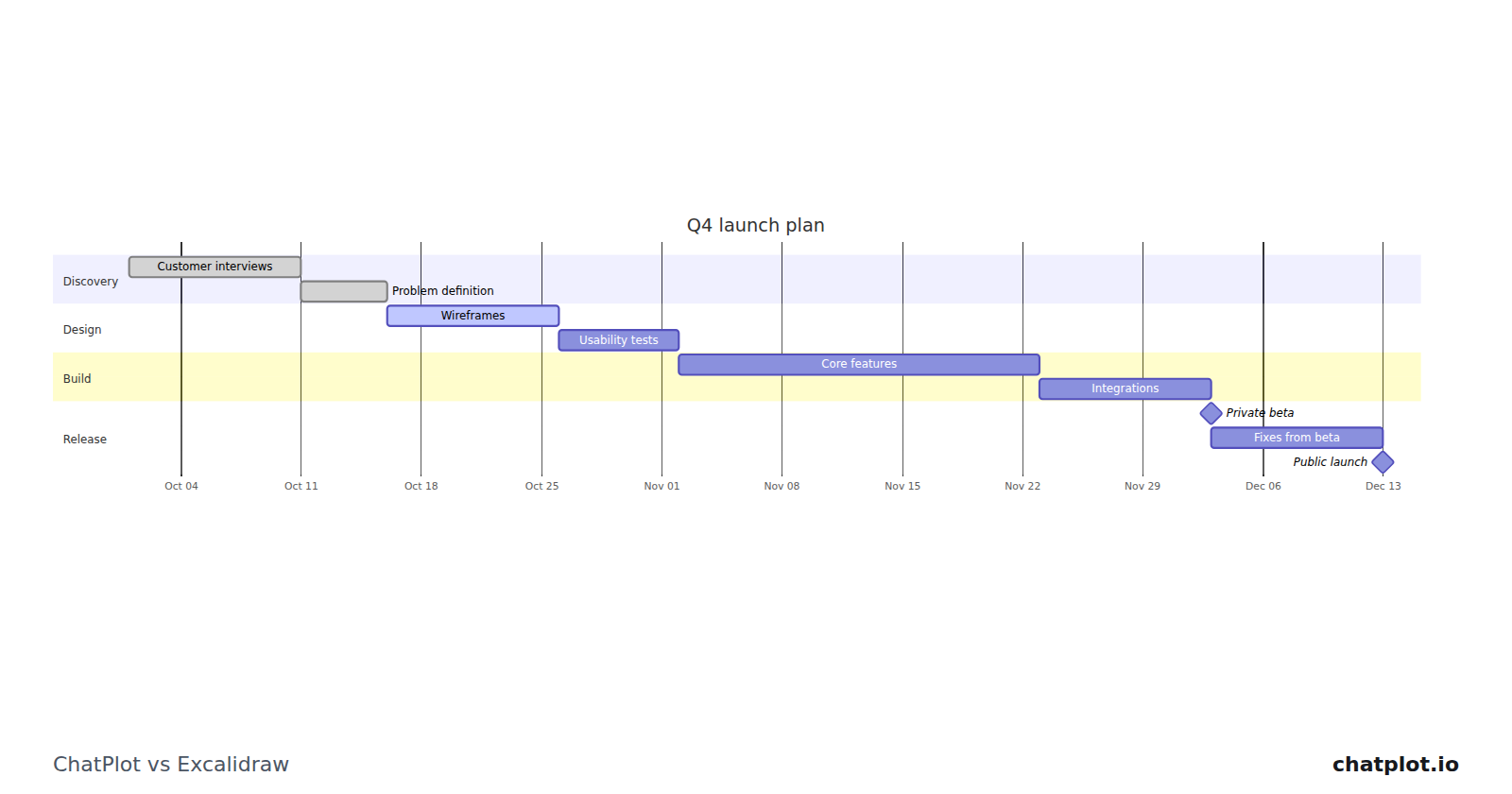
Excalidraw is a whiteboard for sketching. Its own description calls it a "virtual collaborative whiteboard tool that lets you easily sketch diagrams that have a hand-drawn feel", and the roughness is the point: a sketch invites comment in a way a tidy chart does not.
ChatPlot starts from the other end. You write what the diagram should show, it draws a clean one, and every change after that is another sentence.
At a glance
The ChatPlot column comes from ChatPlot's own plan rules. The Excalidraw column comes from excalidraw.com, the Excalidraw repository and the Excalidraw+ pricing page as read on September 11, 2026; where those pages did not state something, the table says so.
| ChatPlot | Excalidraw | |
|---|---|---|
| How you make a diagram | Describe it in plain language. Layout is automatic; you pick the direction and theme and ask for changes in words. No manual drag-and-drop positioning. | You sketch it on a canvas, in a style with "a hand-drawn feel". The project is free and open source under the MIT license. |
| Real-time collaboration | Not available: no co-editing, no shared workspaces. A share link carries the diagram inside the link and opens without an account. | Yes. The repository lists "Real-time collaboration", end-to-end encryption and shareable read-only links; the pricing page lists "Unlimited collaborators" on Free, and "Live real-time presentations" on Plus. |
| AI generation | The main way to create and change diagrams (templates and the advanced code editor are the alternatives): 5 actions per guest session, 10 per calendar month free, 500 per month on Pro. | A "Generative AI" row on the pricing page: "Limited" on Free, "Extended" on Plus. No numbers are given, and no text-to-diagram feature is named there. |
| Export formats | PNG and SVG. Diagram code is an advanced opt-in. No PDF. | PNG, SVG and a JSON save-to-file on both plans, plus PDF and PPTX export on Plus. The repository also lists export to the clipboard. |
| Free tier | Guest: 5 AI actions per session, up to 3 diagrams kept in the browser. Free account: 10 per calendar month, unlimited diagrams synced. Exports carry a small chatplot.io mark. | "Free forever", described on the pricing page as "Open-source software for devs", with unlimited collaborators. |
| Paid plans | Pro, $15 per month or $144 per year: 500 AI actions per month, no mark, PNG up to 3x resolution. No Team or Enterprise plan. | Excalidraw+ at "$6 a month per user", listed as USD 6 per user per month paid yearly and USD 7 paid monthly, with a 14-day free trial. |
What the ChatPlot side looks like
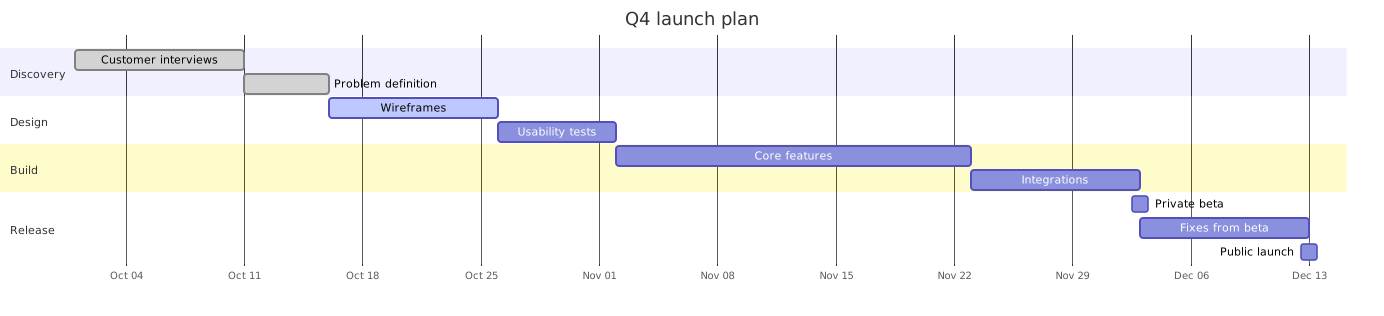
The bars, dates and phase groupings came out of one description. A schedule is the clearest case for describing rather than drawing: "push the public launch a week later" is one sentence, and every bar after it moves.
Where Excalidraw is the better fit
- The sketch is the point. A hand-drawn look says "draft" before anyone reads a word, and people mark it up more freely.
- Several people are drawing at once: Excalidraw lists real-time collaboration, end-to-end encryption and unlimited collaborators on the free plan.
- You need free and open source, or PDF and PPTX out, which Plus adds at $6 per user per month paid yearly.
- What you are drawing is not really a diagram: a rough interface, or a shape nobody has a name for yet.
Where ChatPlot is the better fit
- The output has to look finished. A roadmap going into a plan or a ticket reads better clean than sketched.
- The content is structured (a schedule, a branching process, a data model) and you can state it in a sentence.
- You expect to revise it repeatedly and want earlier versions kept, comparable and restorable.
- You would rather ask for a change than perform it, including direction and theme, which cost no AI action.
Try the same task in both
Task: a quarterly roadmap for a product launch. In ChatPlot, type this:
Draw a quarterly roadmap as a Gantt chart called Q4 launch plan, starting on October 6. Discovery: customer interviews for 2 weeks, then problem definition for 1 week. Design: wireframes for 2 weeks, then usability tests for 1 week. Build: core features for 4 weeks, then integrations for 2 weeks. Release: private beta for 2 weeks, fixes from beta for 1 week, then public launch.Then make one edit by asking:
Push the public launch one week later and add a two-week documentation task in the release phase that starts with the private beta.That is two AI actions. Failed requests are not charged, and templates, undo, version history, direction and theme changes, exports and share links never use one. Draw the same roadmap in Excalidraw, then apply the one-week slip.
Bottom line
Excalidraw is free, open source, genuinely collaborative and good at looking unfinished, which is a real feature when you want feedback rather than approval. ChatPlot has no canvas and no co-editing, and is aimed at the point where the structure is known and the picture should look settled. Many people will want both, and sketching to agree the shape before describing it in ChatPlot is a sensible order.
Sources
Competitor details were read from these pages on September 11, 2026 and may have changed since.