AI sequence diagram generator: describe the exchange, get the diagram
Describe who talks to whom and in what order, and ChatPlot draws the participants, the messages and the replies. Ask for changes the same way: add a timeout, show the failure case, rename a service.
Opening the app spends nothing. Your first 5 AI actions are free as a guest, no account needed.
Published
You wrote
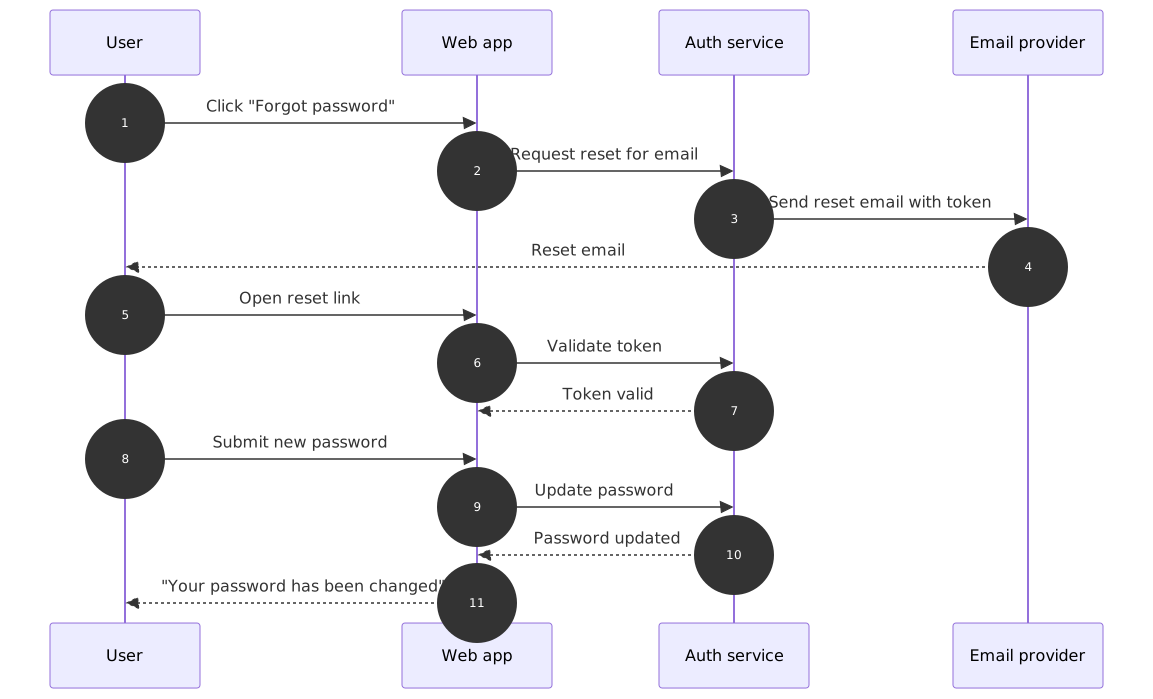
A sequence diagram for resetting a password: the user asks for a reset, the web app tells the auth service to send an email, the user opens the link, chooses a new password, and the app confirms the change.
Then add the case you forgot
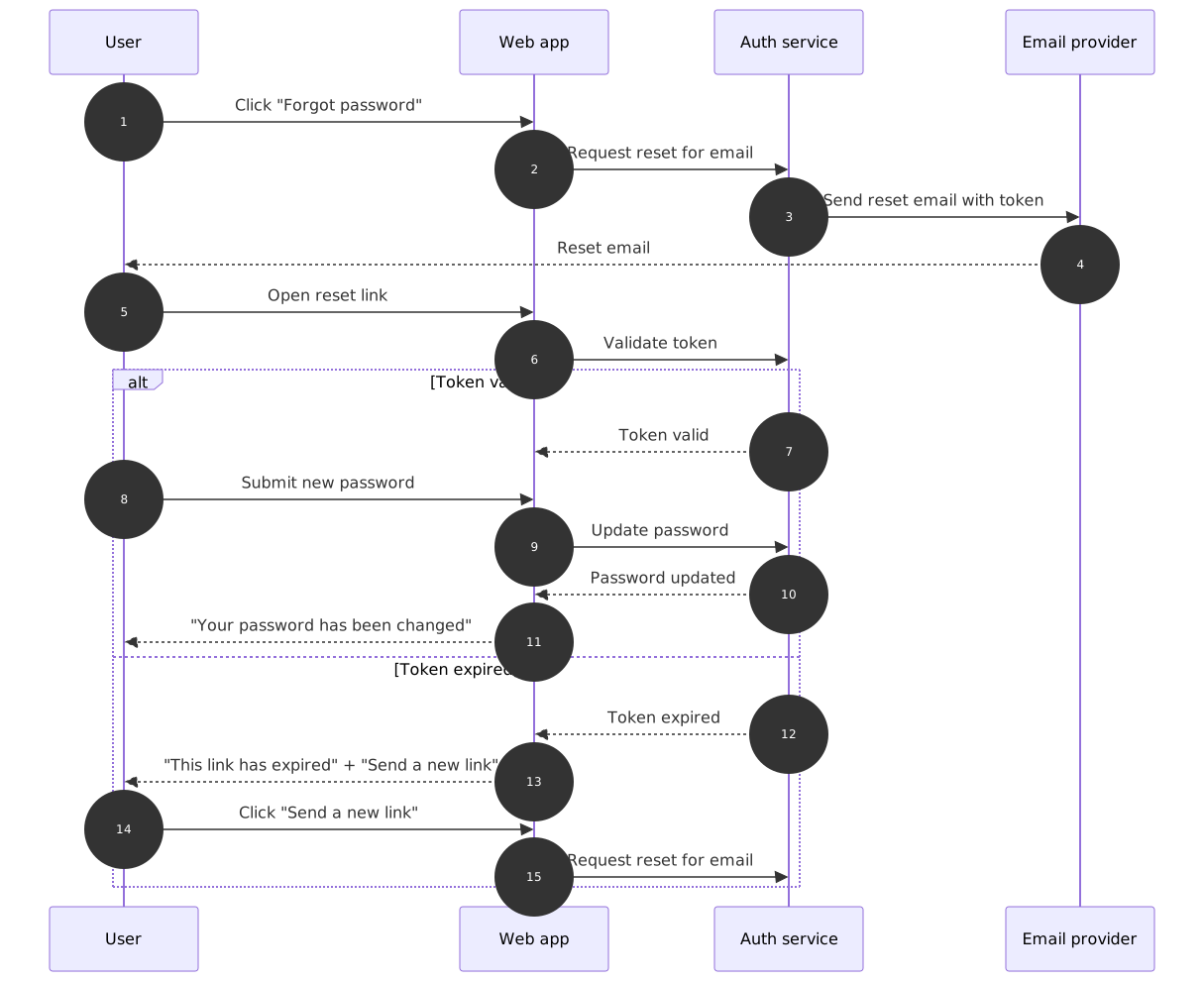
One follow-up request added the expired-link branch as an alternative block. The original stays in history.
Follow-up request
Show what happens when the reset link has expired: the app says so and offers to send a new one.
One AI action. The previous version stays in history, so you can undo, compare or restore it at any time.
What you can ask for
- Add or rename participants ("add a cache between the API and the database")
- Insert, reorder or remove messages and replies
- Add alternatives and error paths ("show what happens when the token is invalid")
- Add loops and optional steps ("retry up to three times")
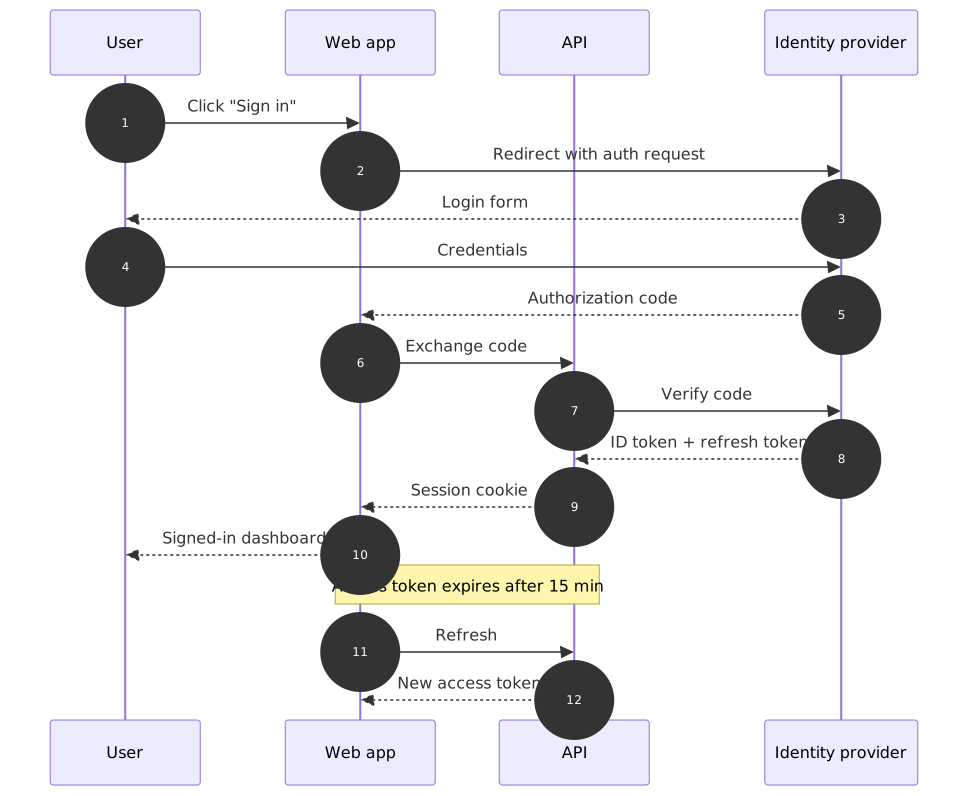
- Add notes over a participant ("note that the access token expires after 15 minutes")
- Number the messages, or switch numbering off
When a sequence diagram is the right format
- Requests and responses between systems: sign-in flows, payments, webhooks, background jobs.
- Order and timing matter, and the reader needs to see what happens before what.
- You are reviewing an integration with another team and want the message names to be explicit.
When it is not
- The process has many decisions but few actors. A flowchart shows branches more clearly.
- You want an overview of components rather than one interaction. An architecture or block diagram is the better fit.
- More than roughly eight participants: split the diagram per use case; lifelines get too dense to read.
Limits to know before you start
- Participants are laid out left to right in the order they appear; you cannot drag lifelines.
- Very long message labels widen the diagram. Keep messages short and put payload details in the chat or a note.
- Guest and Free exports carry a small chatplot.io mark; Pro removes it and allows PNG up to 3× resolution. There is no PDF export.
- AI edits use actions from your plan; theme changes, exports and share links never do.
Free to try, no account needed
- Guest: 5 AI actions to try it, up to 3 diagrams saved in this browser, PNG and SVG export with a small chatplot.io mark.
- Free account (Google sign-in): 10 AI actions every month, unlimited diagrams synced to your account, exports with the mark.
- Pro: $15 per month or $144 per year, 500 AI actions a month, exports without the mark, PNG up to 3× resolution.
One AI action = one create or edit request that produces a diagram. Failed requests are not charged; templates, history, direction and theme changes, exports and share links never use actions. Team and Enterprise plans are not available. Full pricing.
Guides that go deeper
Questions before you start
Does it understand technical terms like OAuth, JWT or webhook?
Flowchart or sequence diagram: which should I use?
Can I start from an example?
Try it on a process you keep explaining
Paste the description, get the sequence diagram, then ask for the changes you would ask a colleague for.