ChatPlot vs Miro: describing a diagram vs building one on a board
Miro is a shared board you build things on. ChatPlot draws a diagram from a description and changes it when you ask in words.
Miro is a shared online board: you open a canvas, place shapes on it, arrange them, and keep the board as a working surface a team comes back to.
ChatPlot is a diagram tool with a chat beside it: you describe the diagram in a sentence or two, it draws one, and you change it by asking in words rather than by moving boxes.
At a glance
The ChatPlot column comes from ChatPlot's own plan rules. The Miro column comes from Miro's pricing page as read on September 11, 2026; where that page did not state something, the table says so.
| ChatPlot | Miro | |
|---|---|---|
| How you make a diagram | Describe it in plain language. Layout is automatic; you pick the direction and theme and ask for changes in words. There is no manual drag-and-drop positioning. | On a board. The pricing page lists "4,700+ shapes" for technical systems, cloud infrastructure and business processes, plus AI that can "Generate diagrams, tables, and summaries". |
| Real-time collaboration | Not available: no co-editing, no shared workspaces. A share link carries the diagram inside the link and opens without an account. | Not shown on the official pricing page. |
| AI generation | The main way to create and change diagrams (templates and the advanced code editor are the alternatives). 5 actions per guest session, 10 per calendar month on a free account, 500 per month on Pro. | Monthly AI credits: Free "Limited trial", Starter 25 per member, Business 50 per member, Enterprise custom. |
| Export formats | PNG and SVG. Diagram code is an advanced opt-in. No PDF. | "Download frames in high resolution as JPG or PDF" on Starter. Board exports are "Low-res only" on Free. |
| Free tier | Guest: 5 AI actions per session, up to 3 diagrams kept in the browser. Free account: 10 AI actions per calendar month, unlimited diagrams synced. Both export PNG and SVG with a small chatplot.io mark. | "$0" with "3 editable boards". |
| Paid plans | Pro, $15 per month or $144 per year: 500 AI actions per month, no mark, PNG up to 3x resolution. No Team or Enterprise plan is available. | Starter "$8/month per member, billed yearly"; Business "$20/month per member, billed yearly"; Enterprise "Custom pricing" from 30 members. |
What the ChatPlot side looks like
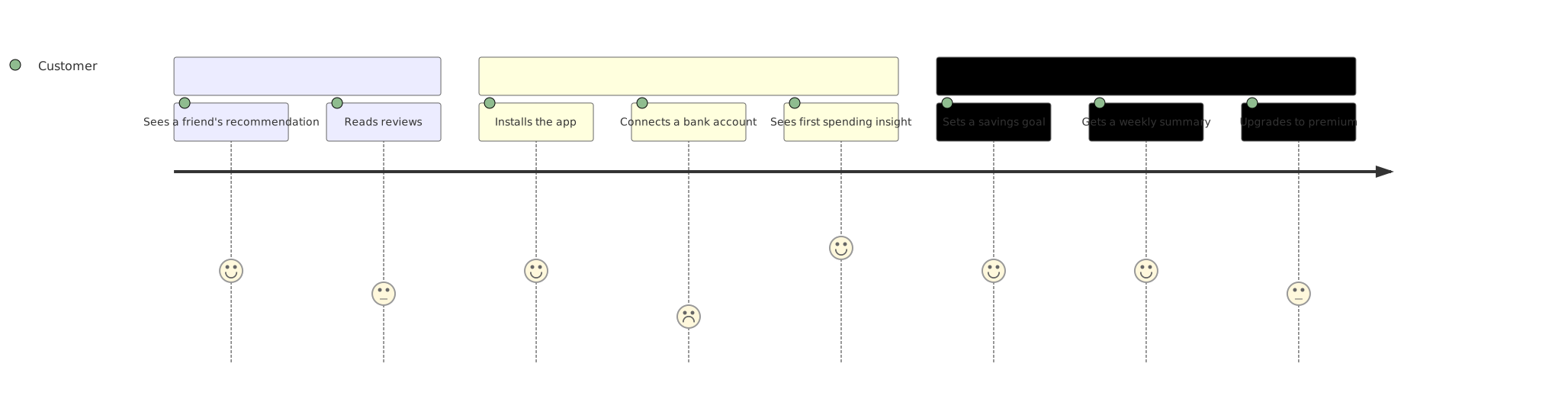
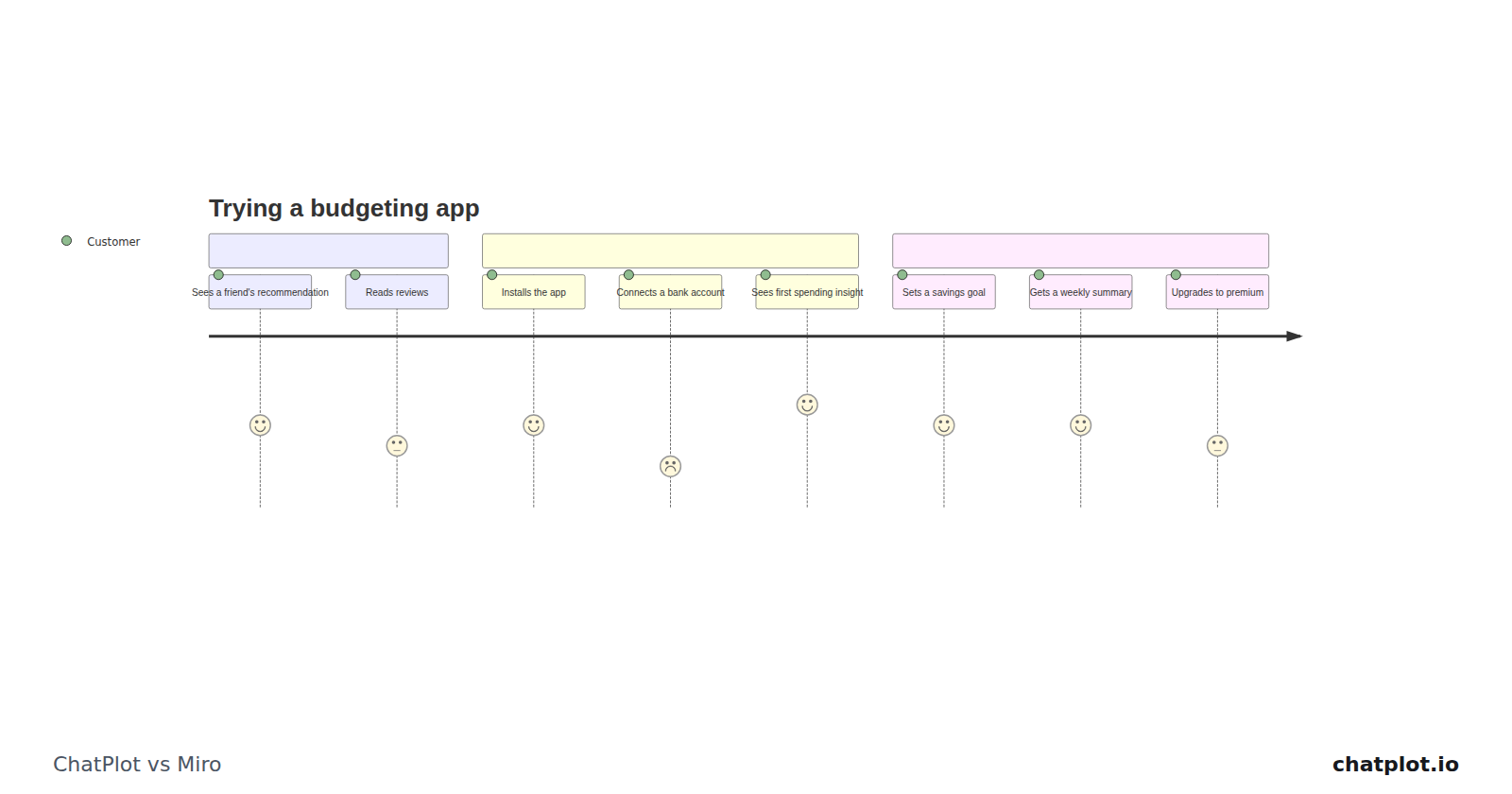
The three stages and the steps under each came out of one description; nothing was positioned by hand. To change it you write another sentence and the picture is redrawn. That is the trade: you give up placing things exactly, and in return you never place anything.
Where Miro is the better fit
- You want to put things where you want them, from a library of 4,700-plus shapes.
- You work by the board rather than by the diagram. Starter lists "Unlimited & private boards"; ChatPlot organizes single diagrams.
- You need JPG or PDF out, which Starter lists as high-resolution frame downloads. ChatPlot exports PNG and SVG only.
- You are buying for a group. Miro prices per member and lists Enterprise "from 30 members"; ChatPlot has no Team or Enterprise plan.
Where ChatPlot is the better fit
- You would rather write the thing than draw it, and want a first version to react to before the structure is settled.
- You want edits to be requests: "split that step in two", "make it left to right".
- You want to hand it to someone with no account, through a link that carries the diagram inside it.
- You are one person, not a seat count: $15 per month or $144 per year with 500 AI actions, against per-member AI credits of 25 on Starter and 50 on Business.
Try the same task in both
Task: a customer journey for a budgeting app, from first hearing about it to paying for it. In ChatPlot, type this:
Draw a customer journey for a budgeting app with three stages: Discover, Try, and Keep using. Discover: sees a friend's recommendation, reads reviews. Try: installs the app, connects a bank account, sees the first spending insight. Keep using: sets a savings goal, gets a weekly summary, upgrades to premium.Then make one edit by asking:
Add a step after connecting a bank account for importing the last three months of transactions, and move "reads reviews" before the friend's recommendation.Each is one AI action. Requests that fail to return a diagram are not charged, and templates, undo, version history, direction and theme changes, exports and share links never use one. Then do the same task on a board and see which part you would rather be doing.
Bottom line
Miro is a surface for a group; ChatPlot is a diagram you talk to. If the value is in the board (many things arranged by many people, kept and revisited), Miro is the tool, and ChatPlot does not try to be. If the value is in the picture, and you would rather describe a change than perform it, ChatPlot gets there without a shape library. The split is placement against description, not speed.
Sources
Competitor details were read from these pages on September 11, 2026 and may have changed since.